

Blog
Thunder Sound Pro-Link TX2 Wireless In-Ear Monitor System

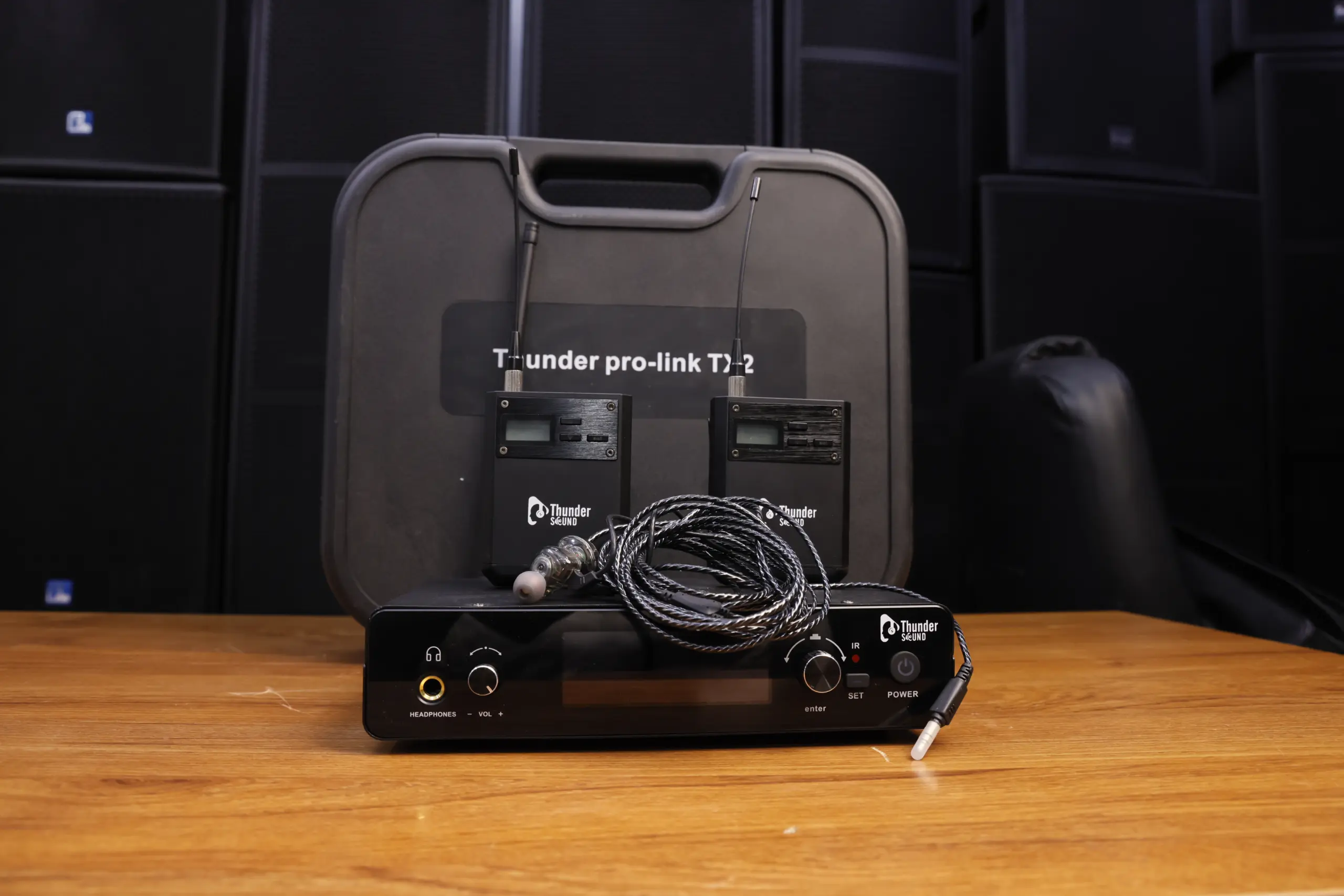

Thunder Sound Pro-Link TX2 Wireless In-Ear Monitor System
Explore the Thunder Sound Pro-Link TX2 wireless in-ear monitor system for musicians, vocalists, worship teams and live sound professionals. Discover a personal monitoring solution for rehearsals, stage performances and audio production environments.
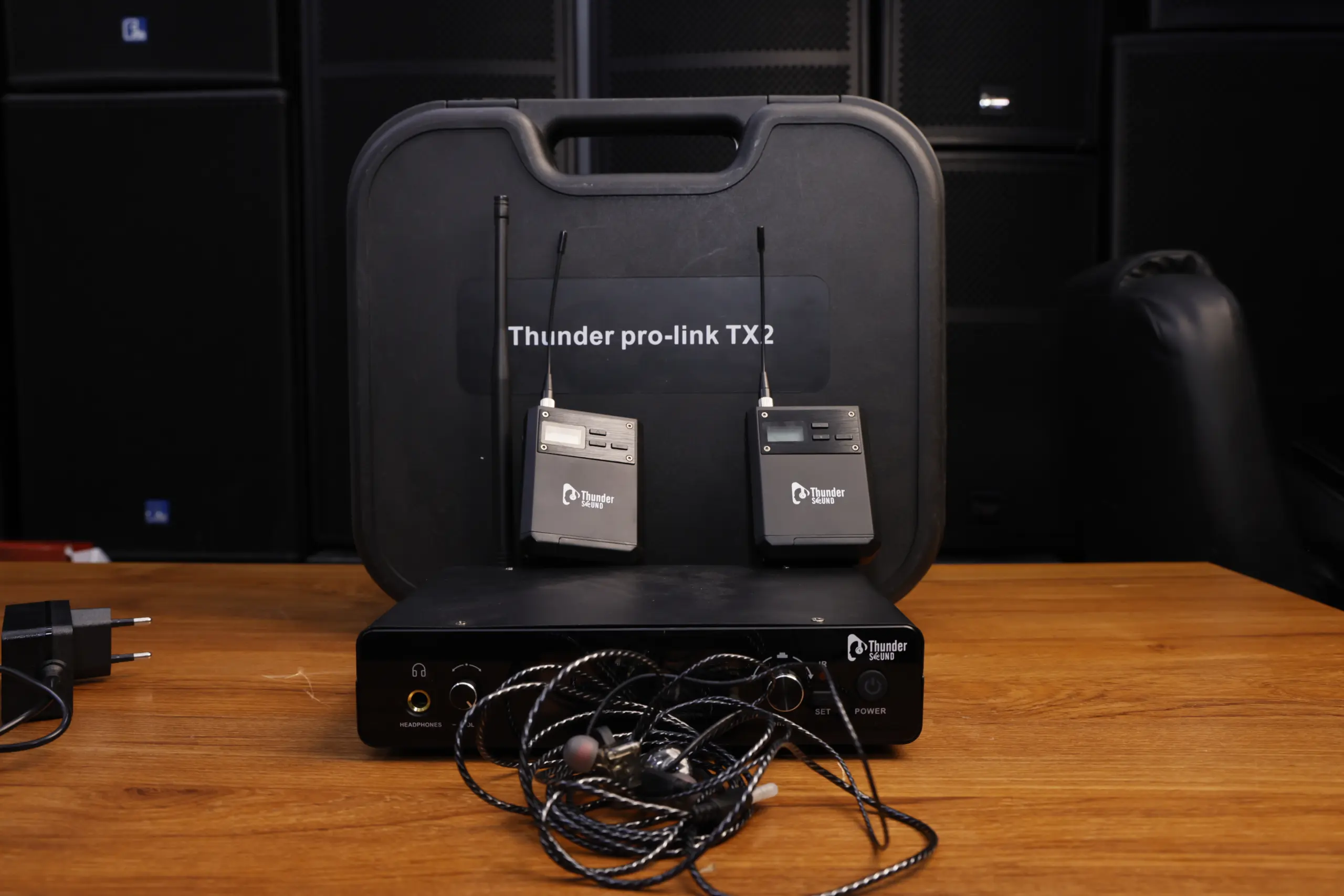
Discover the Thunder Sound Pro-Link TX2 Wireless In-Ear Monitor System
Performers need to hear vocals, instruments and musical cues clearly during rehearsals and live performances. In busy stage environments, relying entirely on floor monitors may not provide every musician with the monitoring experience they need. A wireless in-ear monitor system offers an alternative by delivering an audio monitor feed to a compatible receiver worn by the performer.
The Thunder Sound Pro-Link TX2 wireless in-ear monitor system is designed for personal monitoring applications. A transmitter-and-receiver arrangement allows a compatible audio feed to be sent wirelessly to a performer, subject to the system’s specifications and setup requirements.
Whether you perform in a church, play in a live band, sing on stage or manage an audio production setup, selecting suitable monitoring equipment is an important part of building a reliable sound system. Before purchasing, confirm the TX2’s supported connections, frequency options, package contents and technical specifications.
Key Features of the Pro-Link TX2
Explore the main benefits of using a wireless in-ear monitoring arrangement for live sound and personal performance monitoring.
Wireless Audio Monitoring
A wireless monitoring setup can reduce the need for a direct cable between the transmitter and the performer’s compatible receiver, helping keep the stage setup flexible.
Personal Listening
In-ear monitoring allows a performer to listen to an audio feed through compatible earphones connected to a receiver.
Live Performance Applications
A personal monitor mix can help singers and instrumentalists hear important musical cues during live performances and rehearsals.
Transmitter and Receiver Setup
The system uses a transmitter-and-receiver arrangement. Check the official product information for the supported connections and exact components supplied.
Sound System Integration
A compatible monitor output from a mixer or audio source can feed a wireless monitoring transmitter when the connection and signal requirements match.
Flexible Stage Setup
Personal monitoring can support a variety of performance environments, depending on wireless coverage, equipment compatibility and the number of performers.
Understanding the Transmitter and Receiver
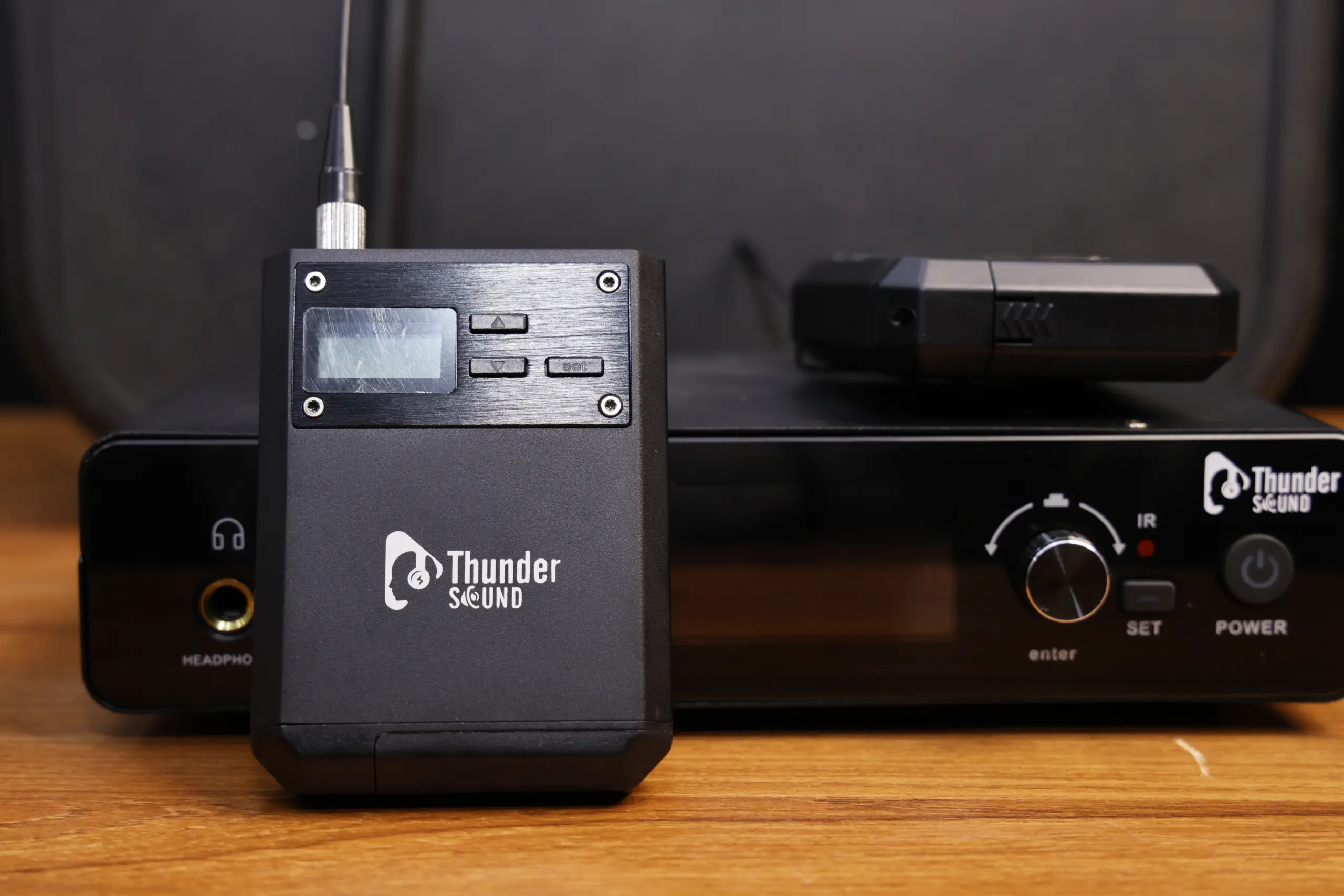
A Personal Monitoring Workflow
Wireless in-ear monitoring systems generally use a transmitter connected to a monitor audio source and a compatible receiver carried by the performer. The receiver sends the received audio to connected earphones.
For the Thunder Sound Pro-Link TX2, confirm the exact input and output connections, frequency configuration and receiver requirements using the product documentation before connecting it to your sound system.
- Check the audio output available from your mixer.
- Confirm compatibility with the transmitter input.
- Follow the manufacturer’s setup instructions.
- Connect compatible earphones to the receiver.
- Test signal reception and listening levels before use.
Thunder Sound Pro-Link TX2 Product Gallery
Explore the product images showing the wireless monitoring system and related transmitter, receiver and stage monitoring equipment.
Pro-Link TX2 System
Explore the main product image of the Thunder Sound Pro-Link TX2 wireless monitoring system.
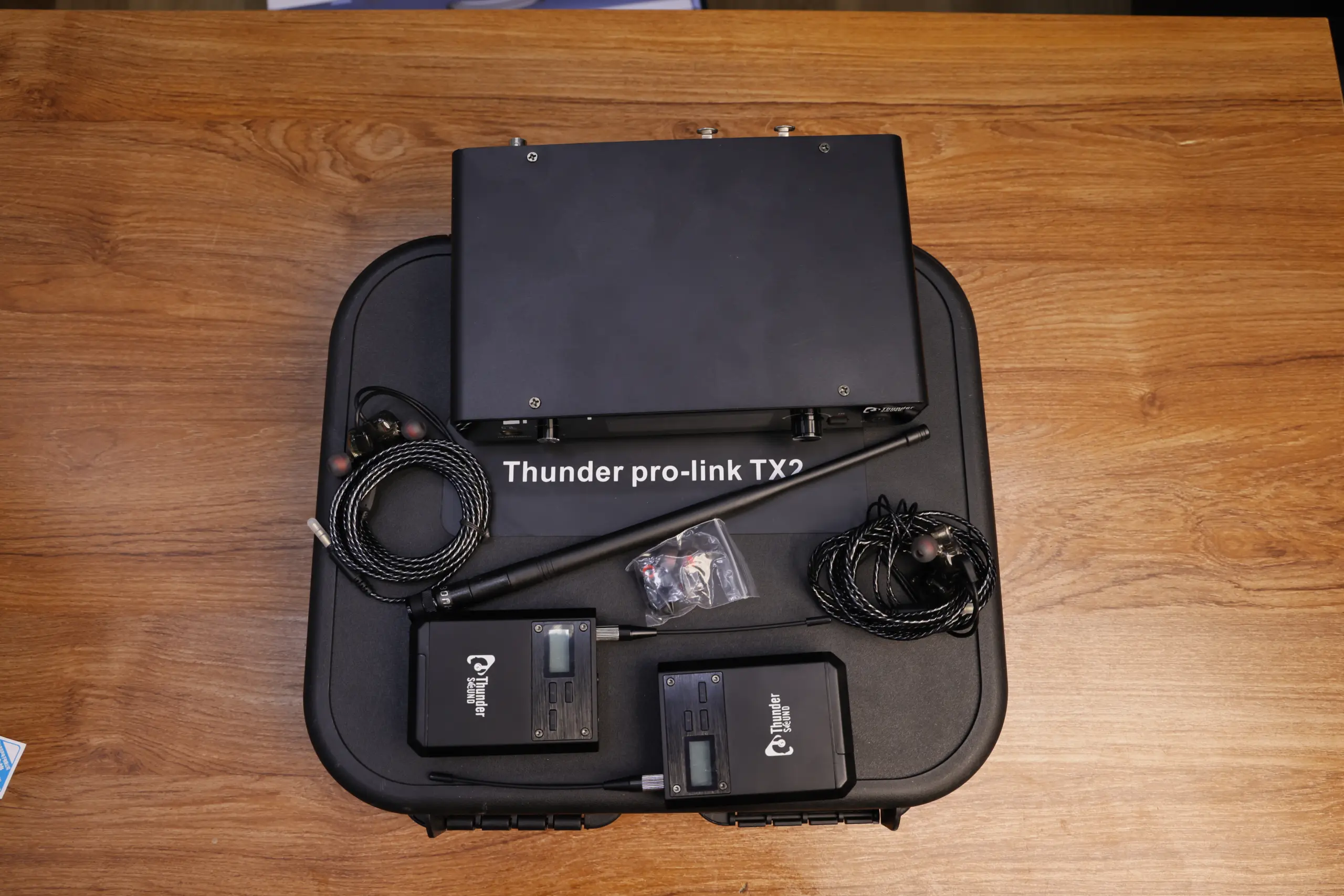
Wireless In-Ear Monitor
View the wireless in-ear monitoring equipment for personal listening applications.
Transmitter and Receiver
Review the transmitter-and-receiver arrangement shown in the product imagery.
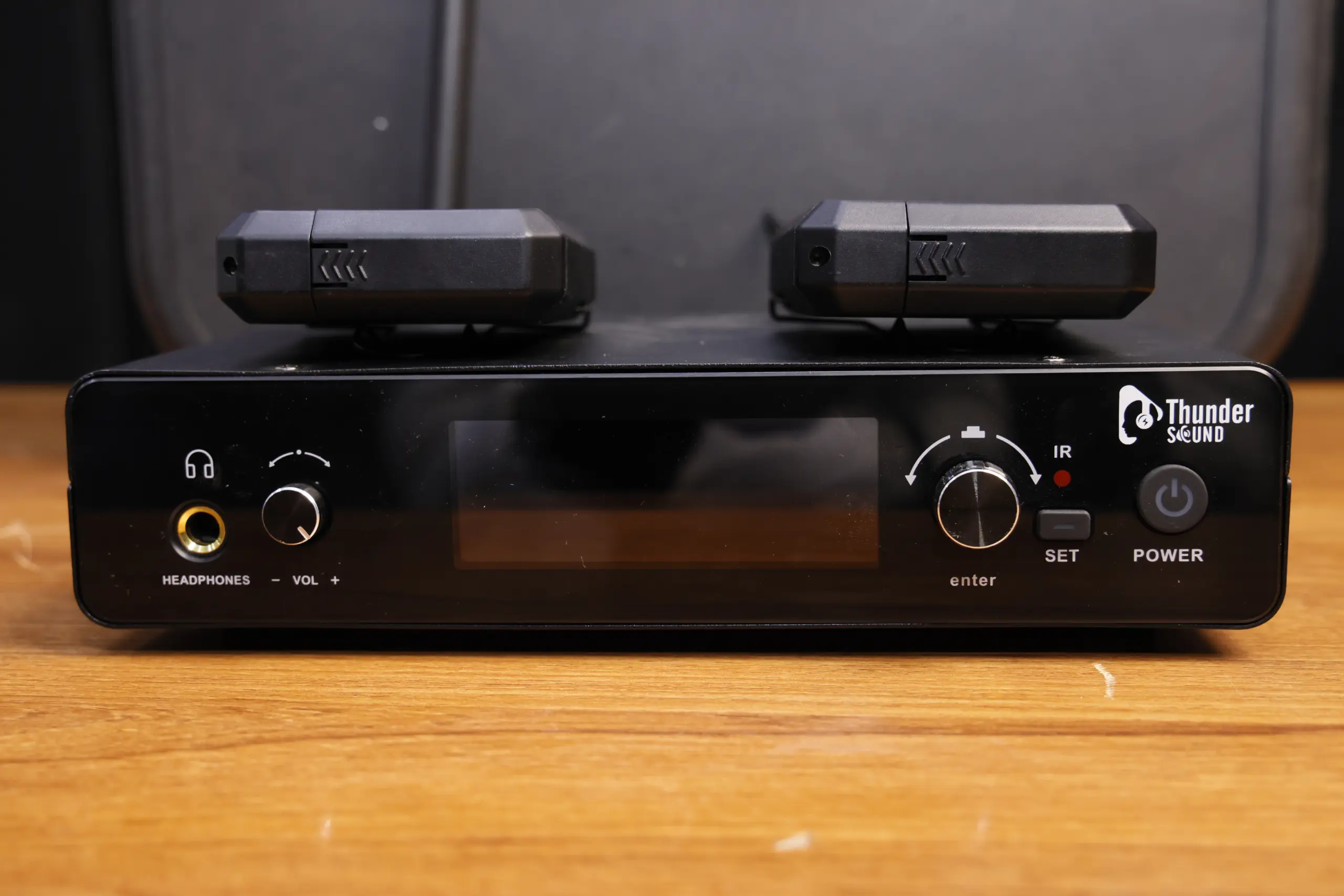
Wireless Monitoring Setup
Explore the monitoring equipment image for live sound and performance applications.
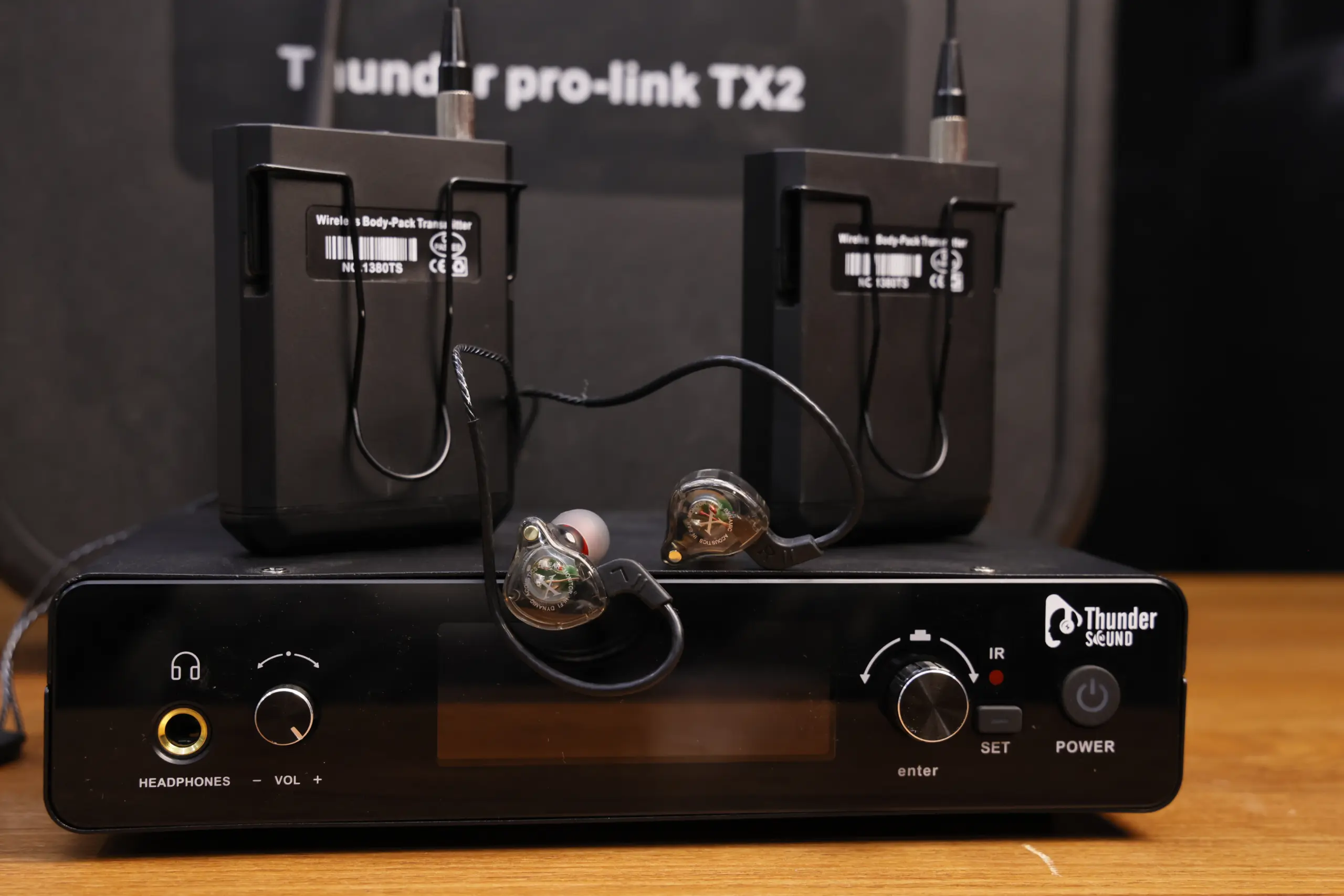
Professional In-Ear Monitoring
View the equipment associated with personal monitoring for performers.
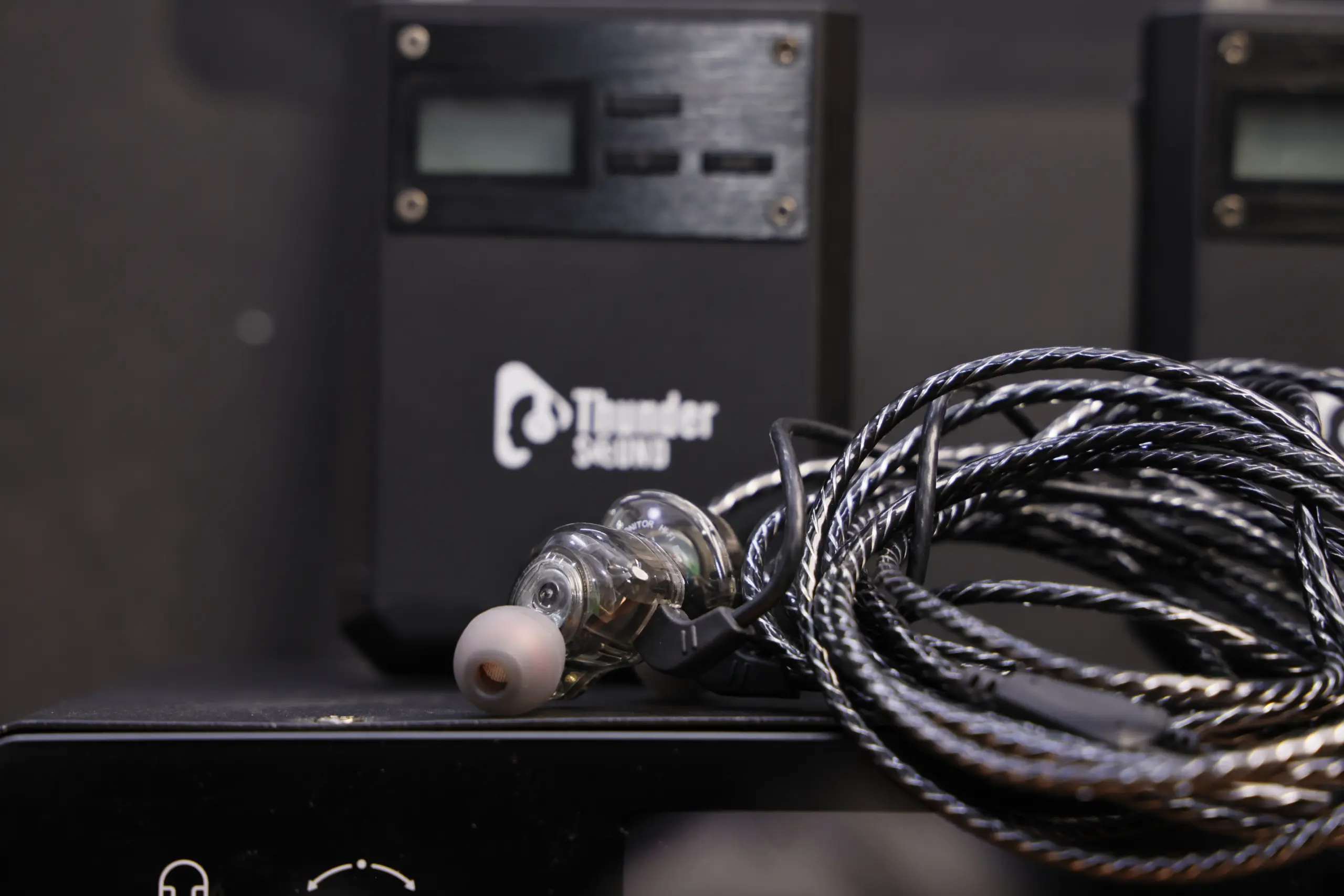
Wireless Audio Transmitter
See the transmitter imagery for a wireless audio monitoring setup.
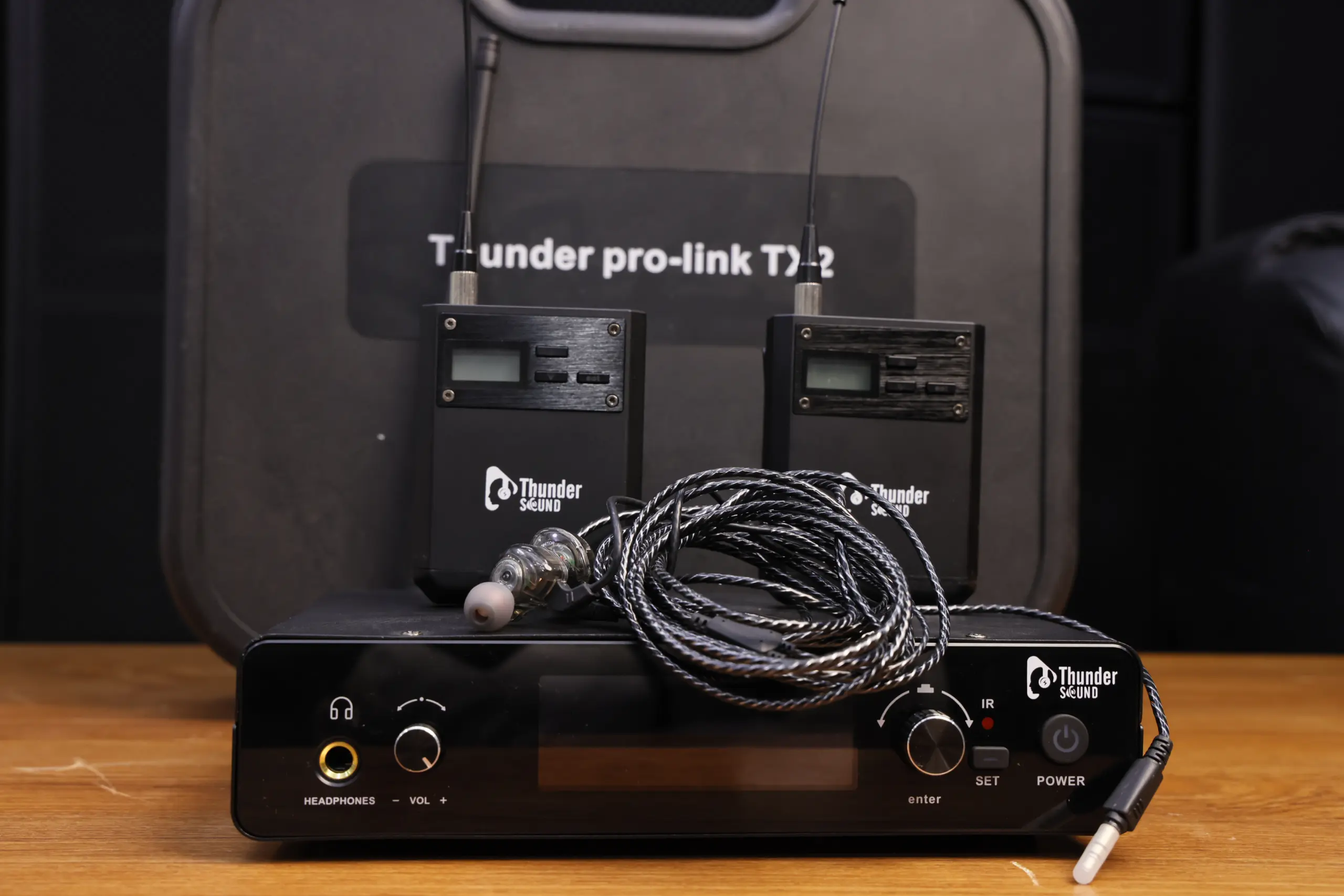
Wireless Audio Receiver
Review the receiver image associated with personal wireless audio monitoring.
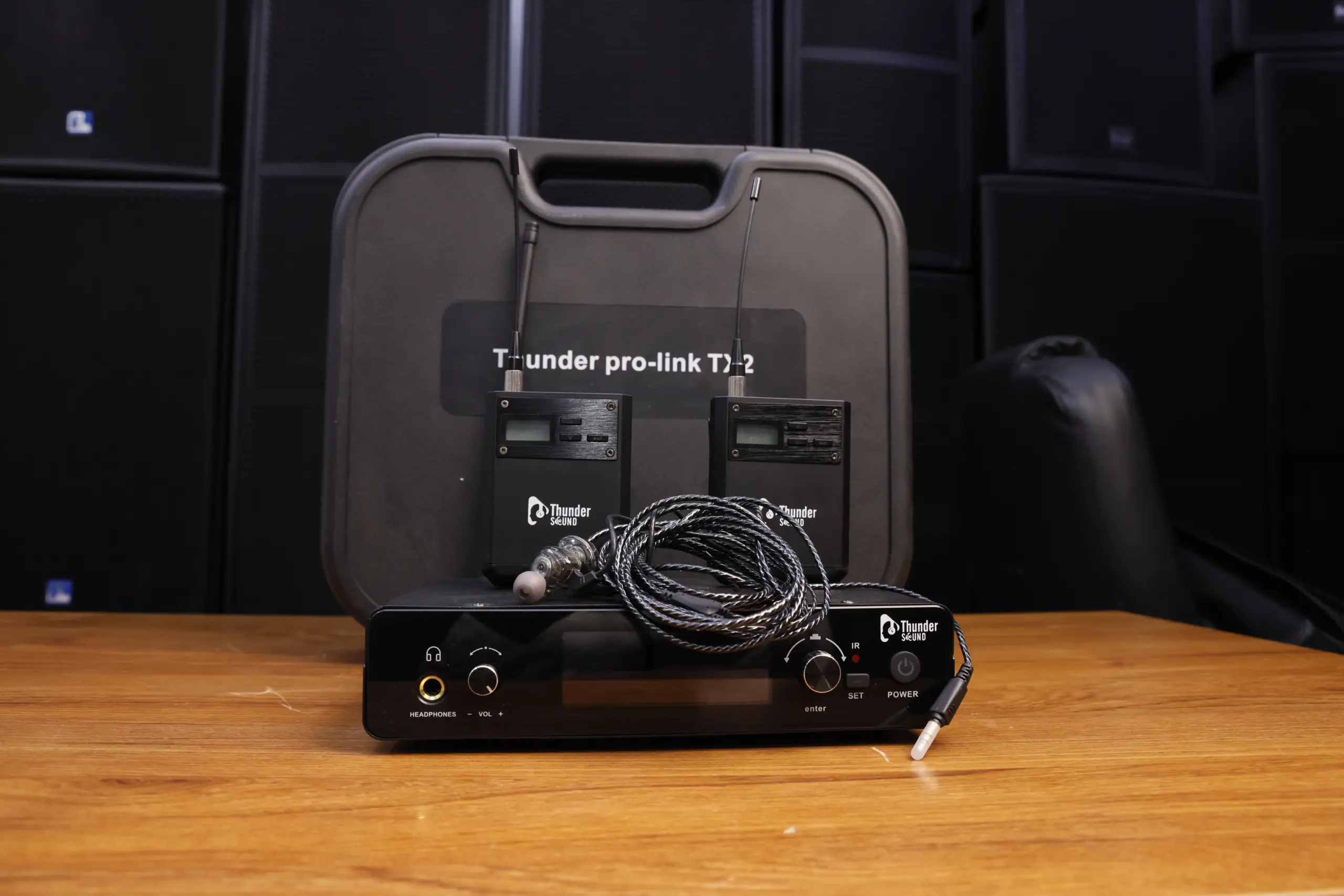
Stage Monitoring Equipment
Explore equipment imagery for stage and live sound monitoring applications.
How to Set Up a Wireless In-Ear Monitor System
Follow the official Pro-Link TX2 instructions for the correct connection and setup procedure.
1. Connect the Audio Source
Connect a compatible mixer monitor output or other supported audio source to the transmitter.
2. Configure the System
Follow the manufacturer’s instructions for powering the equipment and configuring the wireless connection.
3. Connect the Receiver
Set up the compatible receiver and connect suitable earphones according to the product instructions.
4. Test the Audio
Test wireless reception, check the monitor mix and start with a low listening volume before increasing it carefully.
Applications of the Thunder Sound Pro-Link TX2
A wireless in-ear monitoring arrangement can be useful in different audio environments when the equipment, connections and wireless setup meet the requirements of the application.
How to Choose the Right Wireless In-Ear Monitor System
1. Check Audio Connections
Confirm that the transmitter’s input is compatible with the output available from your mixer or audio equipment. Check connection types and signal requirements before connecting the system.
2. Confirm Wireless Specifications
Review the supported frequency range, channel options and operating requirements in the official documentation. Wireless performance can vary depending on the environment and nearby equipment.
3. Consider Your Number of Performers
Work out how many performers require a personal monitor feed. Confirm the number of compatible transmitters and receivers required for your intended setup.
4. Check the Included Accessories
Ask whether earphones, power adapters, cables, batteries or other accessories are included. Confirm the package contents before making your purchase.
5. Consider Stage Conditions
Stage distance, physical obstacles and wireless interference can affect reception. Plan your equipment placement and test the system in the intended environment.
6. Confirm Price and Warranty
Contact Thunder Sound to confirm current pricing, product availability, warranty coverage and after-sales support before ordering.
Why Consider the Thunder Sound Pro-Link TX2?
Personal Monitoring
Explore a wireless monitoring option for performers who need a personal audio feed during rehearsals and live performances.
Live Sound Applications
Consider a wireless in-ear monitoring arrangement for compatible church, band, stage and production setups.
Wireless Setup
A compatible wireless arrangement can reduce the need for a direct cable between the transmitter and performer receiver.
Product Information
Confirm the specifications, accessories and system compatibility with Thunder Sound before making your purchasing decision.
Thunder Sound Pro-Link TX2 Specifications
The following table identifies the product category and the key details buyers should verify. Exact technical values should be confirmed against the manufacturer’s documentation before publishing or purchasing.
| Specification | Details |
|---|---|
| Brand | Thunder Sound |
| Model | Pro-Link TX2 |
| Product category | Wireless in-ear monitor system |
| System arrangement | Transmitter and receiver; confirm exact package contents |
| Audio connections | Confirm from the official product documentation |
| Wireless frequency | Confirm from the official product documentation |
| Operating range | Confirm from the official product documentation |
| Accessories | Confirm package contents with the seller |
Frequently Asked Questions About the Pro-Link TX2
What is the Thunder Sound Pro-Link TX2?
The Thunder Sound Pro-Link TX2 is presented as a wireless in-ear monitor system for personal audio monitoring in live performance and sound production environments. Refer to the official product documentation for confirmed specifications.
What is a wireless in-ear monitor system used for?
It delivers a monitor audio feed wirelessly to a compatible receiver, allowing a performer to listen through connected earphones. It can be useful for vocalists, instrumentalists and worship teams.
Can the Pro-Link TX2 be used in a church?
Wireless in-ear monitoring can be useful in church environments. Confirm that the TX2’s connections, wireless configuration and receiver arrangement suit your church sound system.
Can I connect a wireless in-ear monitor system to a mixer?
Wireless monitor transmitters are generally connected to compatible mixer monitor outputs. Check the TX2’s supported input types and signal requirements before making connections.
Does the Pro-Link TX2 come with earphones?
Confirm the supplied accessories with Thunder Sound before purchasing. Ask whether earphones, cables, adapters and other required components are included in the package.
What is the wireless operating range?
The exact range should be confirmed from the official specifications. Actual reception may vary depending on obstacles, interference, equipment placement and the operating environment.
How can I get the best performance from an in-ear monitor system?
Follow the manufacturer’s instructions, check wireless reception, configure the monitor mix correctly and begin at a low listening level. Avoid excessively loud listening volumes.
Where can I find more information about Thunder Sound products?
Visit the official Thunder Sound website to explore available product information and contact the team about availability and specifications.
Explore the Thunder Sound Pro-Link TX2
Looking for a wireless in-ear monitor system for your church, band, stage or audio production setup? Contact Thunder Sound to confirm product availability, current pricing, package contents and technical compatibility.
Thunder Sound — Professional Audio Equipment
Wireless In-Ear Monitoring • Live Sound • Performance Audio