

Blog
Thunder Sound TS-168 Wireless Microphone System

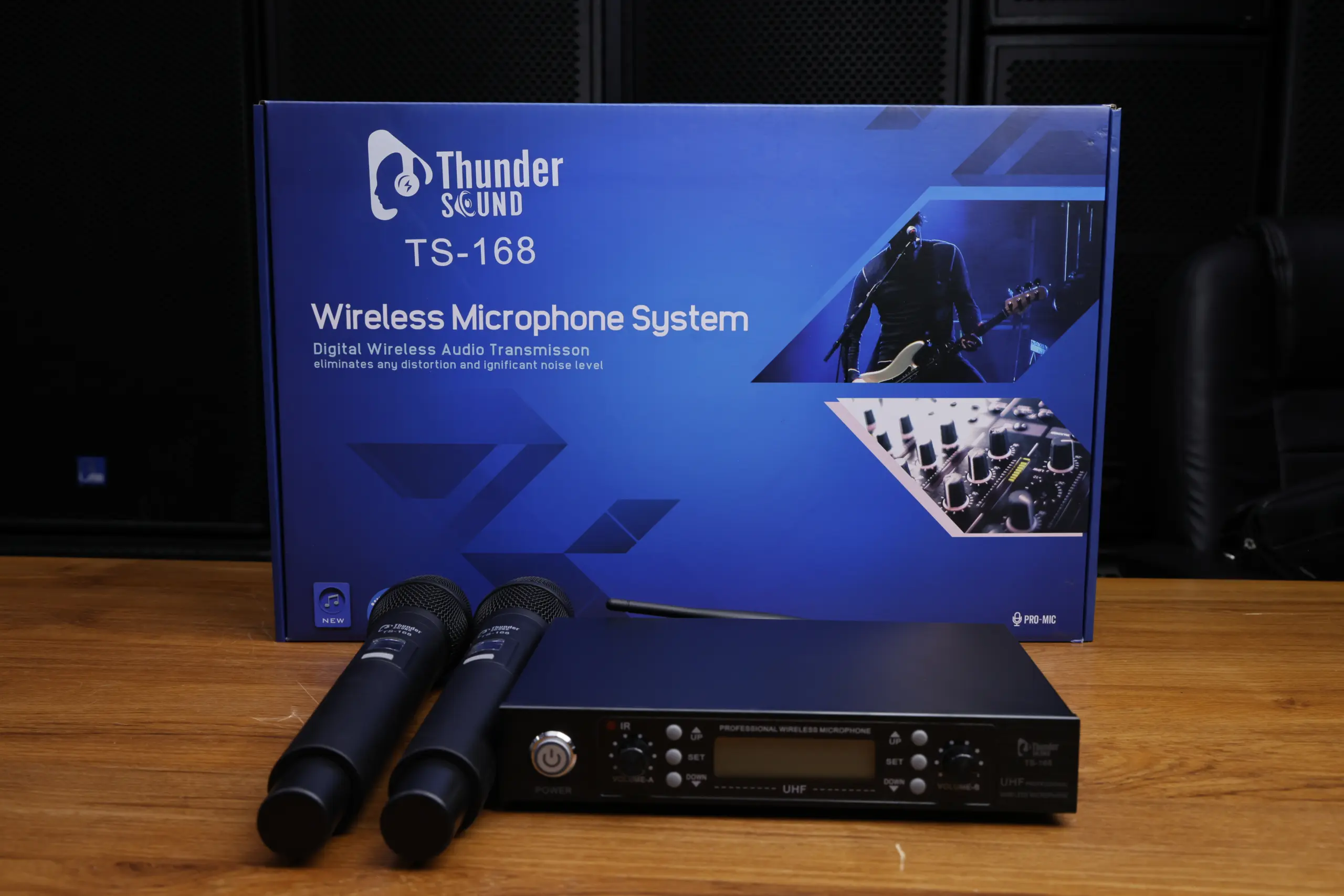

Thunder Sound TS-168 Wireless Microphone System
Discover the Thunder Sound TS-168 wireless microphone system for churches, live performances, events, conferences and presentations. Explore this dual handheld microphone setup and learn what to consider when choosing a wireless audio solution for your sound system.
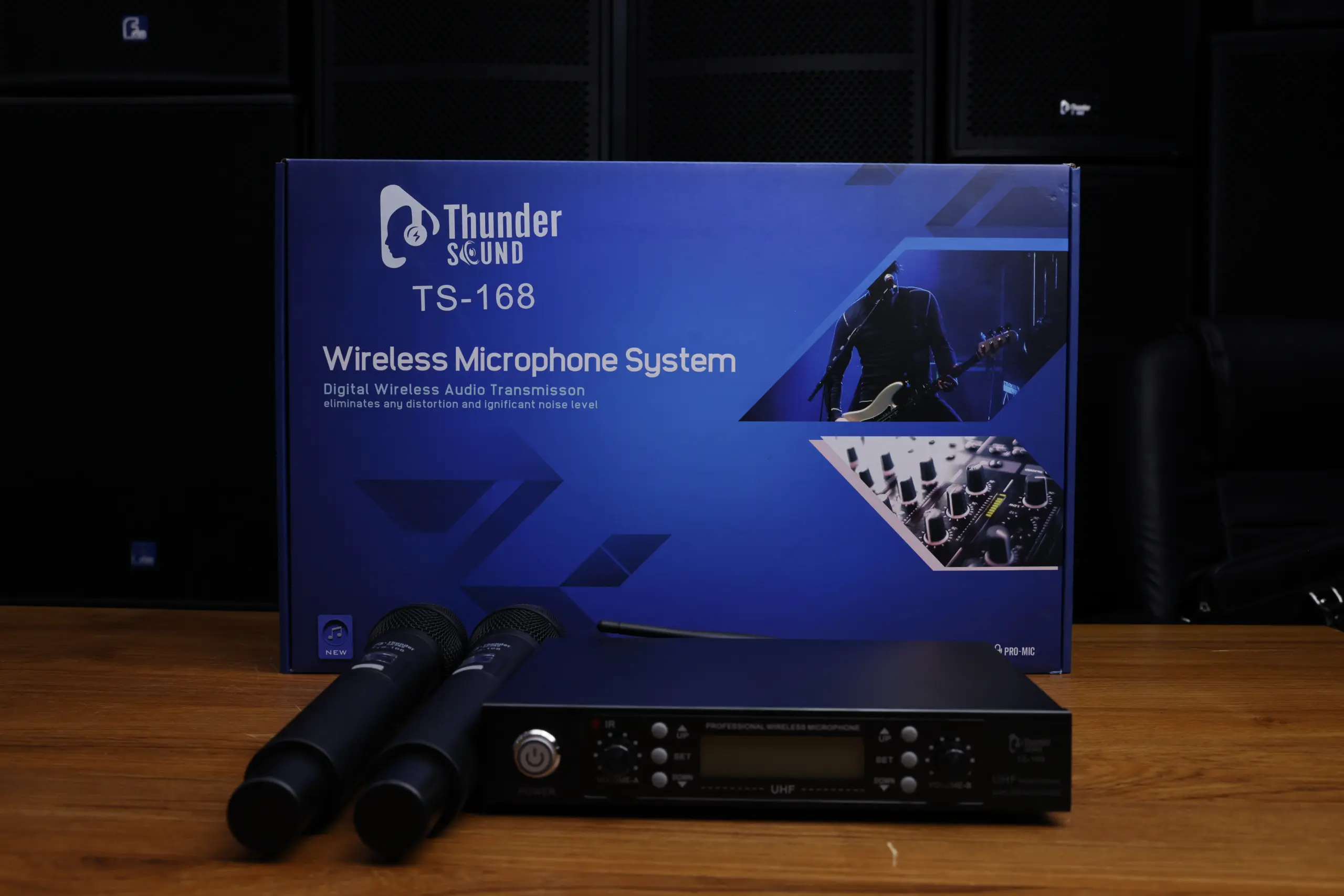
Discover the Thunder Sound TS-168 Wireless Microphone System
Clear audio is essential for churches, conferences, live events, presentations and entertainment venues. A suitable wireless microphone system gives speakers and performers more freedom to move without being restricted by microphone cables across the stage or presentation area.
The Thunder Sound TS-168 Wireless Microphone System features two handheld microphones and a receiver unit, as shown in the product images. Its dual-microphone configuration can be useful for situations involving two speakers, presenters, hosts or performers who need microphone access during the same event.
Whether you are equipping a church, conference room, event venue or entertainment space, choosing a wireless microphone system requires attention to audio connections, wireless frequency, operating range and compatibility with your existing sound equipment. Confirm the TS-168’s exact technical specifications and included accessories with Thunder Sound before purchasing.
Key Features of the Thunder Sound TS-168
Explore the main features and practical considerations of this dual handheld wireless microphone system for speech, presentations and live sound applications.
Dual Handheld Microphones
The product images show two handheld microphones, making the system worth considering for presentations, interviews, hosting and other applications involving multiple speakers.
Wireless Operation
A wireless microphone setup can reduce cable clutter and allow speakers or performers to move around within the system’s supported operating range.
Receiver Unit
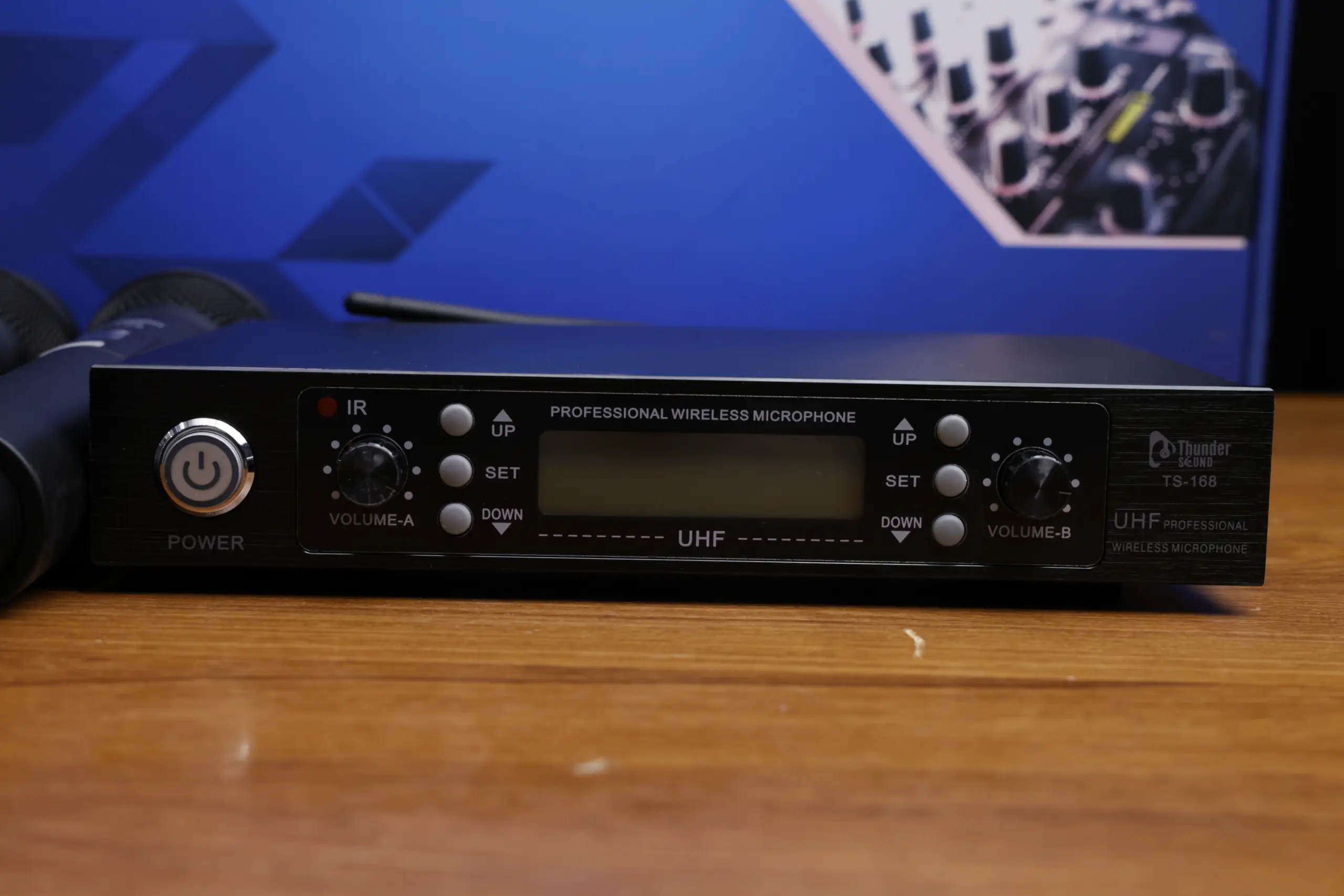
The receiver is the central component that receives the wireless microphone signals and provides an audio output for compatible sound equipment.
UHF System Identification
The product imagery and naming associated with this system reference wireless microphone equipment. Confirm the exact operating frequency band and supported channels from the official product documentation.
Sound System Integration
Check the receiver’s output connections to ensure compatibility with your audio mixer, amplifier, powered speaker or other sound equipment.
Multiple Applications
A dual wireless microphone setup can be considered for churches, events, conferences, presentations and other suitable speaking applications.
Understanding the TS-168 Microphones and Receiver
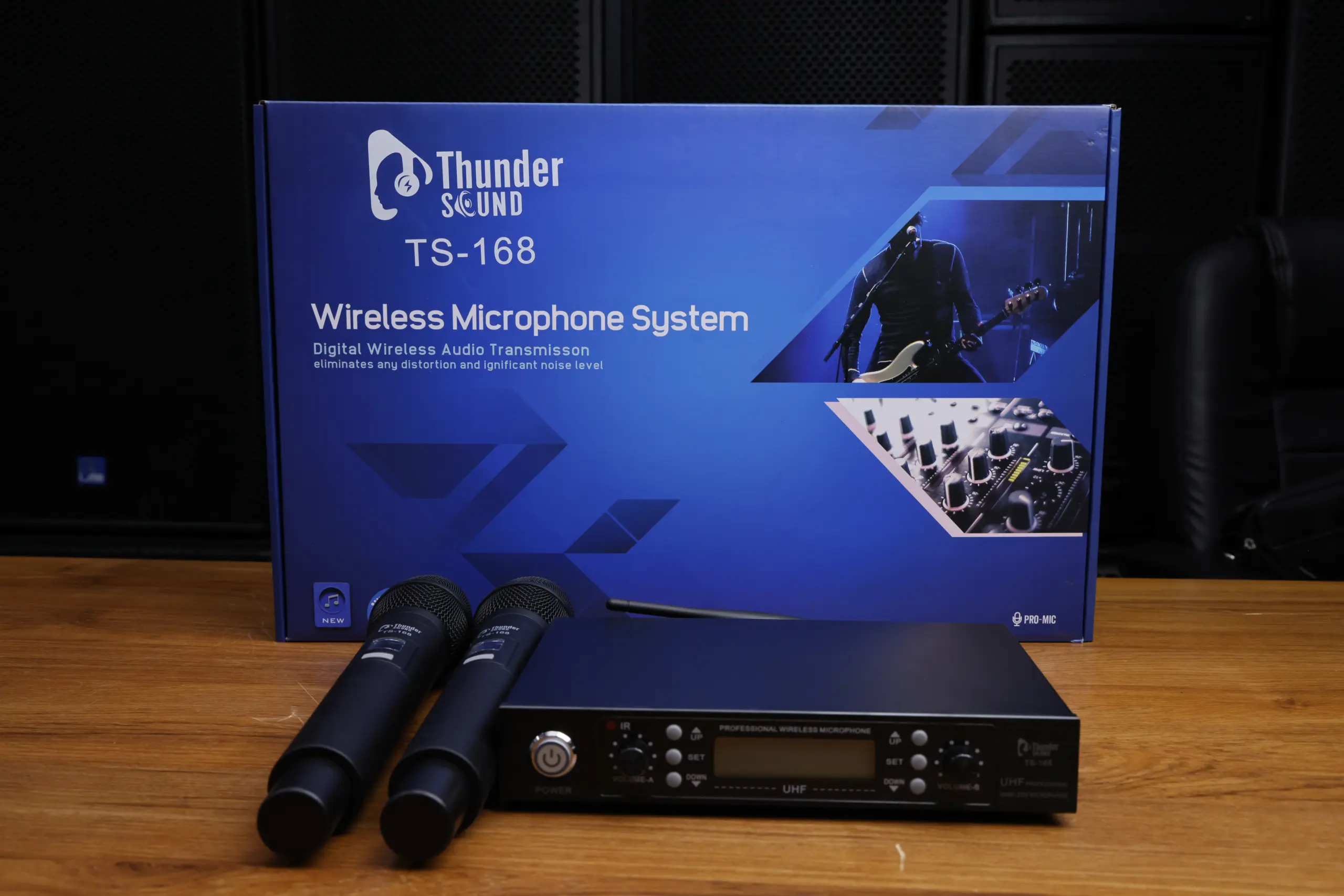
A Practical Wireless Microphone Setup
A wireless microphone system generally consists of one or more wireless microphones and a receiver that connects to compatible audio equipment. The microphones transmit audio wirelessly to the receiver, which supplies an audio signal to the connected sound system.
For the Thunder Sound TS-168, confirm the receiver’s output connections, wireless frequency configuration, power requirements and setup instructions before connecting the equipment to your sound system.
- Check the audio input available on your mixer or amplifier.
- Confirm that the receiver output is compatible with your equipment.
- Follow the manufacturer’s instructions for powering and pairing the system.
- Check the required batteries or power supplies.
- Test both microphones and adjust the audio levels before use.
Thunder Sound TS-168 Product Gallery
Explore the Thunder Sound TS-168 wireless microphone system through these product images.
TS-168 Complete System
View the main product image featuring the TS-168 wireless microphone system.
Thunder Sound TS-168
Explore another view of the Thunder Sound TS-168 microphone system.
Wireless Microphone in Kenya
Explore the TS-168 product image for customers researching wireless microphones in Kenya.
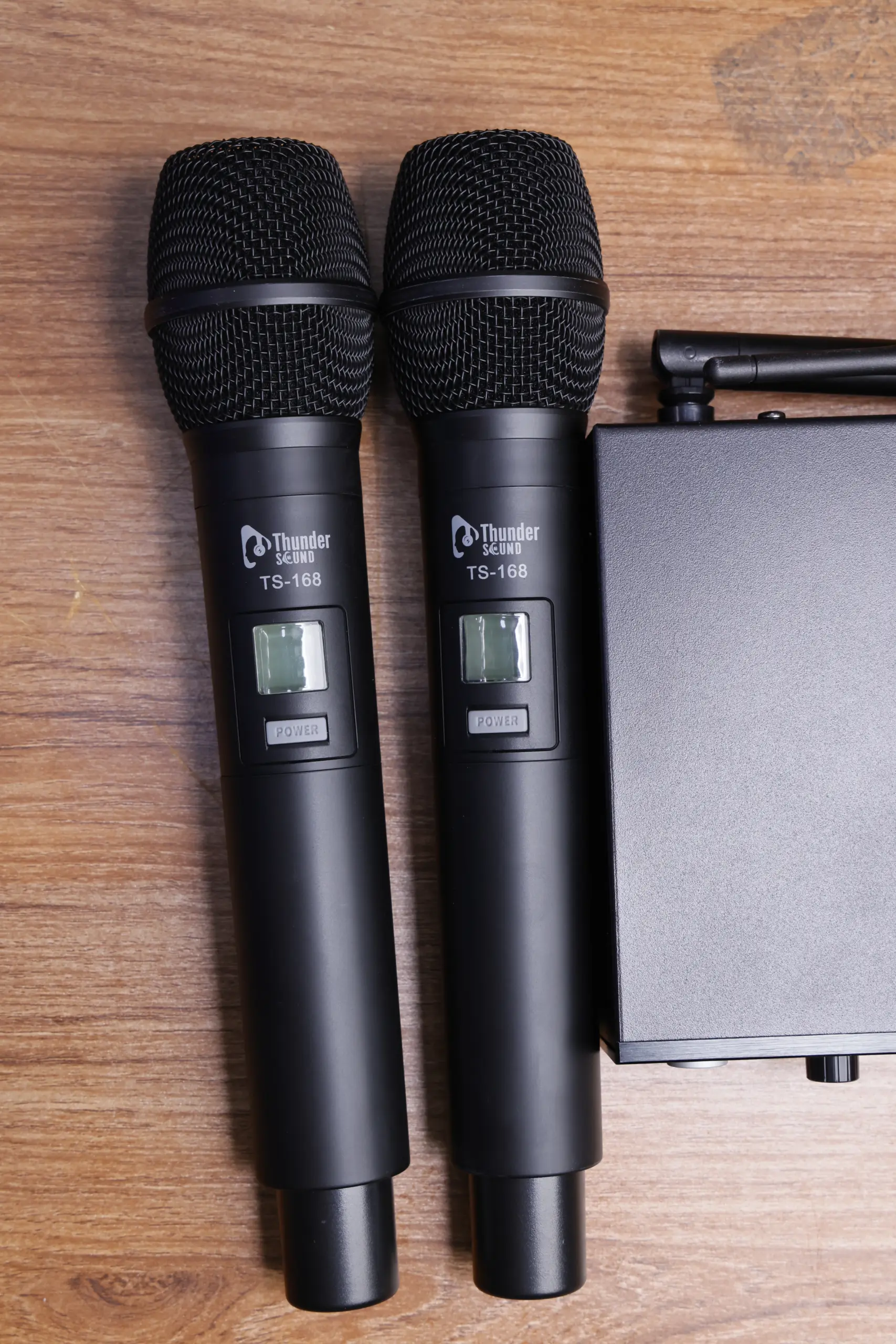
Thunder Sound Microphones
View the Thunder Sound wireless microphone product imagery.
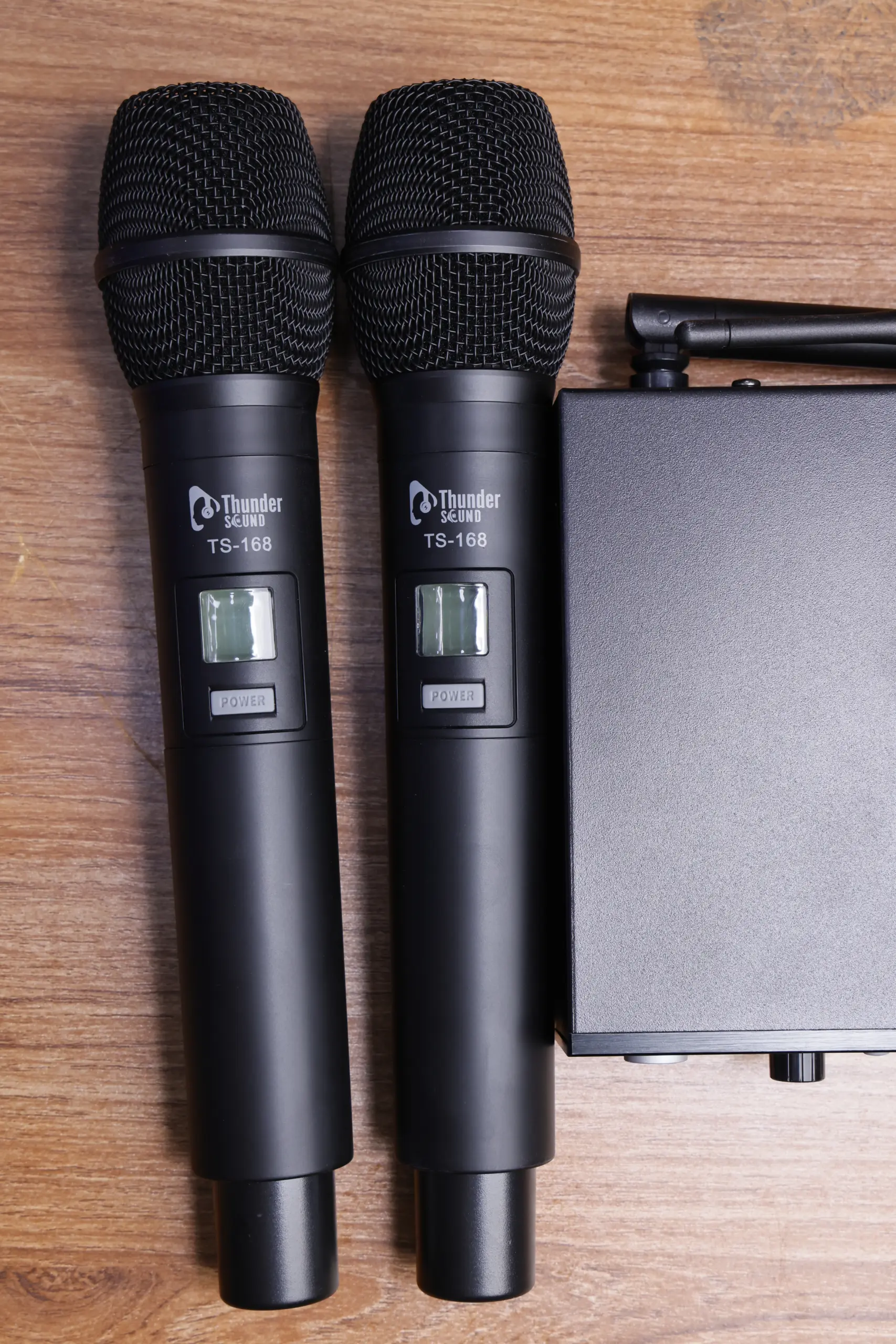
Dual Wireless Microphone System
A dual-microphone arrangement can be useful for applications involving two speakers or performers.
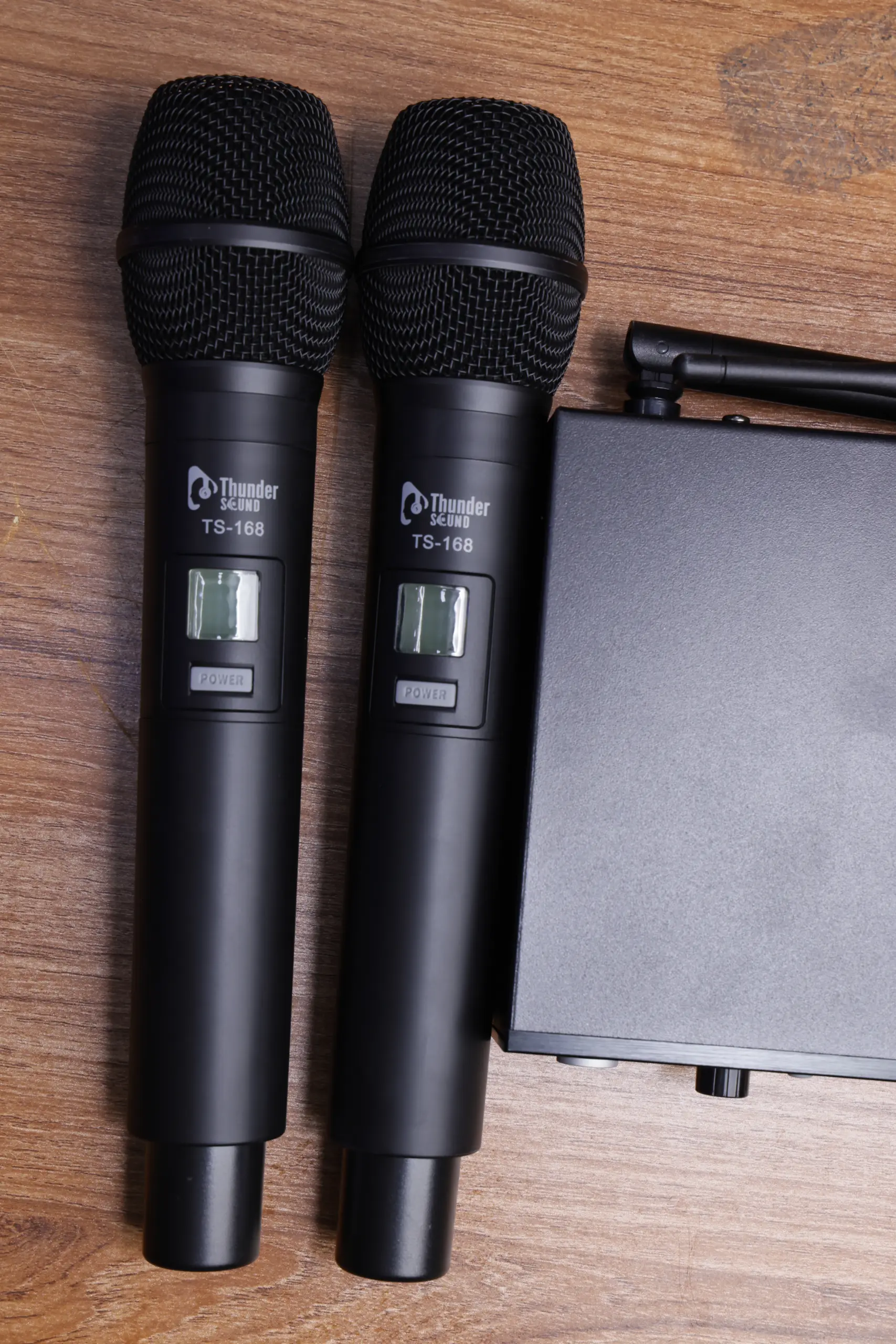
Wireless Microphone System
Review the wireless microphone product imagery and confirm the system’s frequency specifications before purchasing.
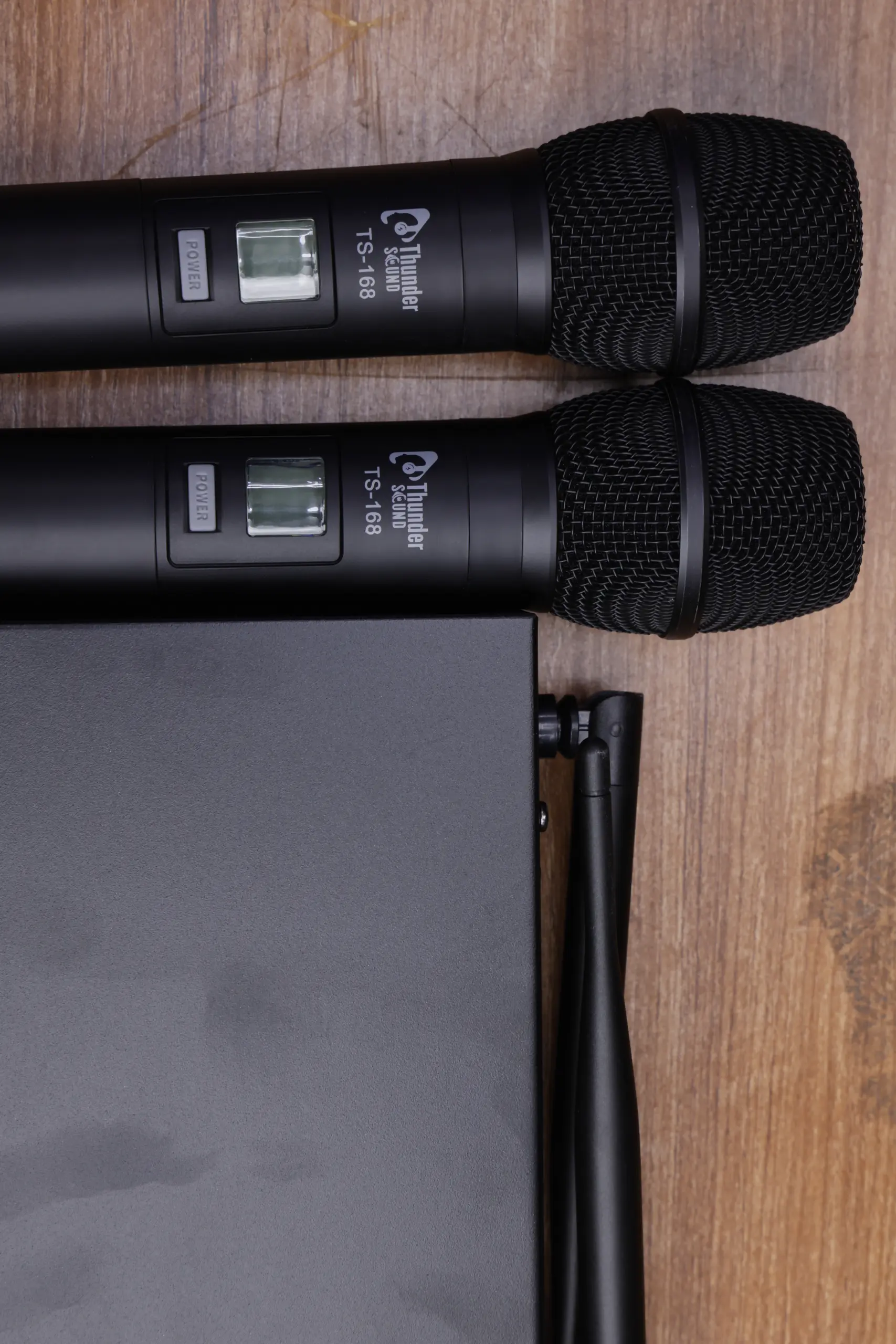
Professional Wireless Microphone
Explore wireless microphone equipment for suitable professional speaking and sound applications.
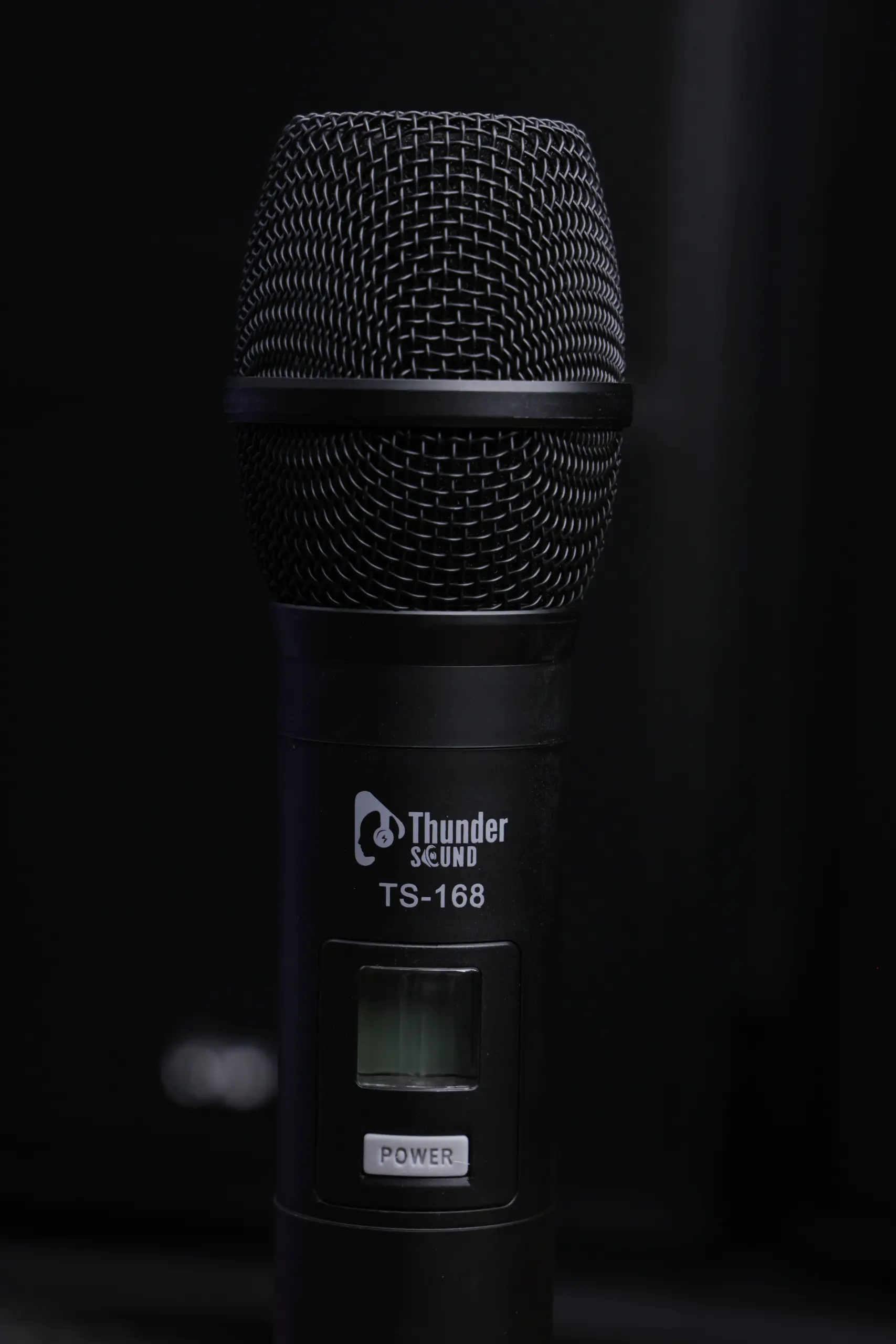
Wireless Microphone Price in Kenya
Contact Thunder Sound for current pricing, availability and package details for the TS-168.
How to Set Up the Thunder Sound TS-168
Follow the manufacturer’s instructions for the correct connection and setup procedure. The following general steps can help you prepare your wireless microphone system.
1. Position the Receiver
Place the receiver in a suitable location near your sound equipment, following the manufacturer’s placement recommendations.
2. Connect the Audio
Connect the receiver’s audio output to a compatible mixer, amplifier or other supported audio input.
3. Power the System
Install the required batteries or power supplies and follow the manufacturer’s instructions for switching on and configuring the equipment.
4. Test Both Microphones
Test each microphone individually, check signal reception and adjust the mixer and receiver levels before the event begins.
Applications of the Thunder Sound TS-168
A dual wireless microphone system can be useful in a range of speaking and performance environments when its specifications and connections meet the requirements of the application.
How to Choose a Wireless Microphone System in Kenya
1. Consider the Number of Microphones
Choose a system that supports the number of speakers or performers who need microphones. The TS-168 product images show two handheld microphones; confirm the package contents and simultaneous operating capability with the seller.
2. Check Audio Connections
Confirm that the receiver’s output connections are compatible with your mixer, amplifier, powered speaker or other audio equipment. Check cable requirements before installation.
3. Confirm the Wireless Frequency
Review the supported frequency band and available channels in the official product documentation. Choose a suitable configuration for your location and intended application.
4. Check the Operating Range
Ask the seller for the manufacturer’s specified operating range. Actual wireless performance can vary because of walls, obstacles, interference and receiver placement.
5. Confirm Batteries and Accessories
Check which batteries, power supplies, cables and other accessories are included in the package. Confirm the power requirements for both the microphones and the receiver.
6. Compare Price and Warranty
Contact Thunder Sound to confirm the current TS-168 wireless microphone price in Kenya, product availability, warranty coverage and after-sales support.
Why Consider the Thunder Sound TS-168?
Two Handheld Microphones
The product images show a two-microphone setup that may suit presentations and events involving multiple speakers.
Flexible Wireless Use
Wireless microphones can help reduce cable clutter and support greater freedom of movement during suitable applications.
Suitable for Speaking Applications
Consider the system for church services, conferences, event hosting and other applications where a compatible wireless microphone setup is required.
Check Compatibility Before Buying
Confirm the frequency, connections, included accessories and technical specifications with Thunder Sound before making your purchase.
Thunder Sound TS-168 Specifications
The table below summarises the product details visible from the available product information and identifies technical specifications to confirm before purchasing.
| Specification | Details |
|---|---|
| Brand | Thunder Sound |
| Model | TS-168 |
| Product Category | Wireless microphone system |
| Microphone Configuration | Two handheld microphones shown in product images |
| Receiver | Receiver unit shown in product images |
| Wireless Frequency | Confirm from official product documentation |
| Operating Range | Confirm from official product documentation |
| Audio Outputs | Confirm receiver output connections with the seller |
| Power Requirements | Confirm microphone and receiver power requirements |
| Accessories | Confirm package contents with Thunder Sound |
Frequently Asked Questions About the Thunder Sound TS-168
What is the Thunder Sound TS-168 Wireless Microphone System?
The Thunder Sound TS-168 is a wireless microphone system pictured with two handheld microphones and a receiver unit. Confirm the official specifications and package contents with the seller.
Does the TS-168 come with two microphones?
The supplied product images show two handheld microphones. Confirm the exact package contents with Thunder Sound before ordering.
Can I use the TS-168 in a church?
A dual wireless microphone system can be useful for church services, announcements, presentations and other speaking applications. Check the TS-168’s specifications and compatibility with your church sound system.
Can I connect the TS-168 to a mixer?
Wireless microphone receivers generally connect to compatible mixer or audio equipment inputs. Check the TS-168 receiver’s output connections and follow the manufacturer’s instructions.
What is the operating range of the TS-168?
The exact operating range should be confirmed from the official product specifications. Wireless performance may vary depending on obstacles, interference and the installation environment.
What frequency does the TS-168 use?
Confirm the supported frequency band and channel configuration with Thunder Sound. Do not assume the operating frequency without checking the product documentation.
What is the Thunder Sound TS-168 price in Kenya?
Contact Thunder Sound for the current price, availability, warranty information and package details. Pricing may change depending on availability and the seller.
Where can I find more information about Thunder Sound products?
Visit the official Thunder Sound website to explore product information and make inquiries about availability and specifications.
Explore the Thunder Sound TS-168 Wireless Microphone System
Looking for a wireless microphone system for your church, event, conference or presentation setup? Contact Thunder Sound to confirm TS-168 availability, current pricing, technical specifications and included accessories.
Thunder Sound — Professional Audio Equipment
Wireless Microphones • Live Sound • Audio Equipment